
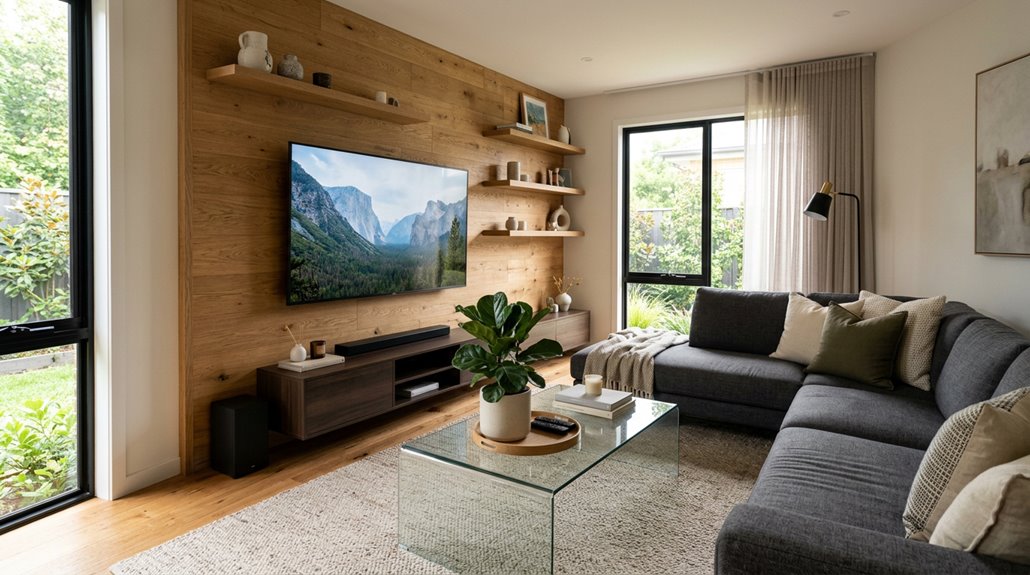
Place your TV directly across from your couch as the easiest focal point. Mount it so the bottom third aligns with eye level when you’re seated to prevent neck strain from looking upward. Aim for about 1.5 to 2.5 times your screen’s diagonal as your viewing distance. A 55-inch TV works best roughly 6 to 9 feet back. Keep it away from windows to reduce glare. Room layout and design will affect the optimal placement for your specific space.
Assess Your Room Before Choosing a Spot
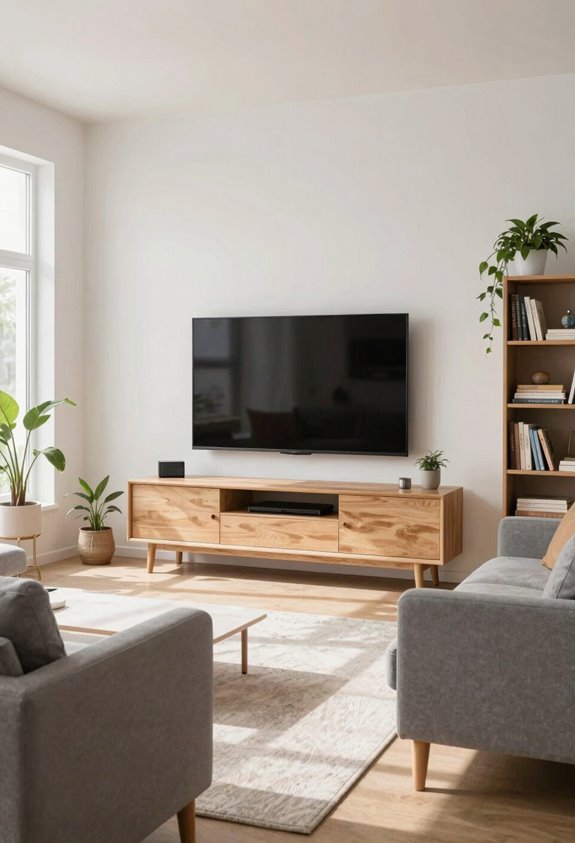
Before placing your TV, take time to assess your room carefully. Where you position it directly impacts your viewing experience.
Start by mapping your seating arrangement. Where do people actually sit? That’s your command center. Next, check your viewing distance. A good rule is sitting about 1.5 times your screen’s width away. Too close feels claustrophobic; too far makes everything blurry.
Eye level is crucial. Your TV’s center should sit slightly below seated eye height, not mounted like some trophy. Finally, scout for glare control. Sunny windows and bright lamps reduce picture quality. Close your curtains mentally first, then position accordingly.

FULLY DIY NO-STUD PATENTED SOLUTION: HangSmart TV offers a complete DIY no-stud mount experience, making it a perfect choice for homeowners and renters who prefer a no-fuss, easy-to-handle installation process for their flat screen TVs

MEASURE BEFORE YOU BUY: Fits 19 to 32 inch TVs and monitors up to 44 lbs with VESA 75x75mm or 100x100mm mounting patterns. Confirm the bolt holes on the back of your TV measure about 3 or 4 inches apart before ordering, not just the screen size.
How Room Size Changes Your Best Option
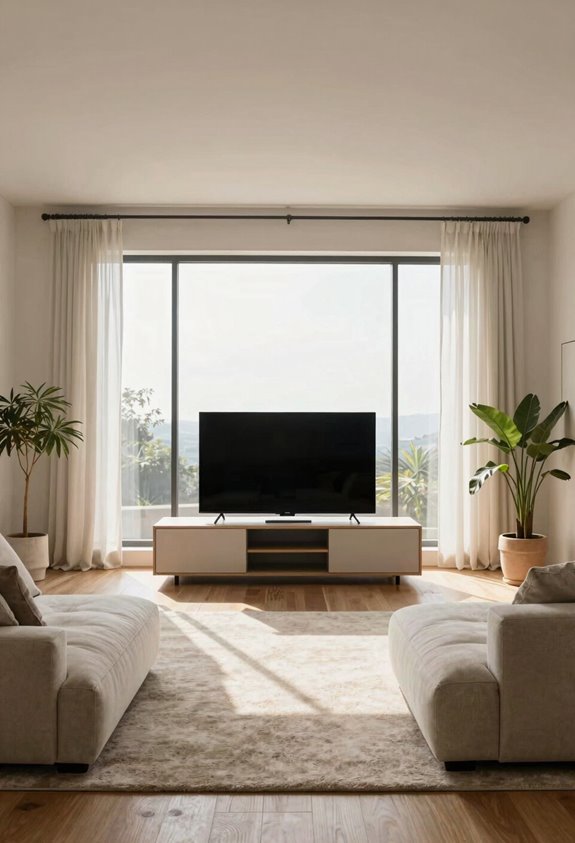
Your room’s size dramatically changes where your TV actually works. In tiny living rooms, a wall mount is basically your only move, while sprawling spaces let you get creative with floating furniture and dedicated zones. Small rooms need that slim, anchored approach so you’re not tripping over cables and fighting for sightlines. Larger rooms function as playgrounds where you can experiment with off-center spots and actual entertainment areas without everything feeling cramped. The shape matters just as much as the square footage. A long rectangular room needs different thinking than a boxy space, and that’s where your layout strategy really kicks in.

【Universal TV stand Holds Most TVs】 The table top TV stand fits 32",40",42",43",50",55",60",65",70" flat-panel LCD/LED TVs, with VESA pattern sizes from 100x100mm, 100x200mm, 200x100mm, 200x200mm, 200x300mm, 300x200mm, 300x300mm, 400x200mm, 400x300mm, 400x400mm, Please verify the VESA pattern of your TV before purchase.

Important: Watch the video and learn the”Designed for" details listed below!

Universal TV Mount: The TV wall mount fits for most 32-70 inch TVs up to 99 lbs, with VESA of 75x75mm - 400x400mm. The TV mount can be mounted to 12/16 Inch wood studs, concrete, or brick walls. Please verify the size, weight, and VESA pattern of your TV before purchase. For other screw sizes, please contact us.
Small Spaces Call Differently
How does a TV placement strategy that works perfectly in a sprawling family room suddenly feel all wrong in a cozy apartment? Small spaces demand completely different thinking.
Wall mounting becomes your best friend here. It preserves precious floor space by eliminating bulky stands, and it keeps sightlines clear so you can move around without awkward shuffling.
Mount your TV just below eye level when sitting down, around 55-60 inches from the floor. This height provides optimal viewing angles without dominating your room. Pair it with a swivel mount to accommodate multiple seating positions without requiring additional furniture that would make your apartment feel cramped. Smart placement transforms tight quarters into functional spaces.
Large Rooms Offer Flexibility
When you’ve got square footage to spare, TV placement becomes straightforward and offers creative possibilities. Large rooms let you play with flexible layouts that smaller spaces can’t accommodate.
Here’s what works in bigger spaces:
- You can mount your TV on a wall, plop it on a stand, or tuck it into a corner—whatever feels right
- Viewing angles work from multiple spots without anyone craning their neck like an owl
- Anchored TV placement keeps things balanced, so your screen doesn’t feel like it’s eating the whole room
With 12+ feet between your seating and screen, you maintain clear detail while creating distinct zones. Modular furniture and zone-based lighting work together effectively. Large rooms provide the space needed for functional, visually balanced layouts.
Layout Shapes Placement Strategy
Why does room shape matter so much for TV placement? Your living room’s layout dictates where your TV should live. Placing a TV on any wall rarely produces optimal results.
In rectangular rooms, wall mount your TV on the longest wall. This setup maximizes your viewing distance, which significantly impacts your viewing experience. You’ll want roughly 1.5 to 2.5 times your screen size between you and the screen. So a 55-inch TV requires seating positioned about 7 to 14 feet away.
For awkward L-shaped spaces, your seating layout determines everything. Make your TV the focal point by anchoring furniture around it. Sometimes moving furniture slightly works better than adhering to wall mounting constraints. Flexibility in furniture arrangement produces better results than pursuing rigid placement rules.
Wall-Mounted: Space-Saving and Flexible
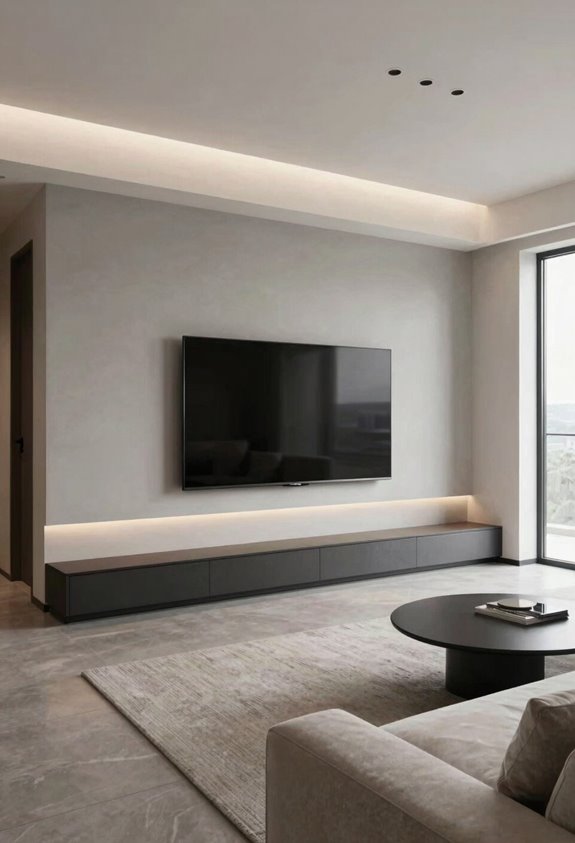
If you’ve ever stubbed your toe on a TV stand in the dark, you’ll appreciate what wall-mounting can do for your living room. It’s a practical solution.
Benefits of this setup:
- You reclaim precious floor space, making your room feel bigger and less cluttered
- You can adjust your viewing angle with swivel mounts, accommodating everyone’s preferred spot
- Cable management becomes hidden and tidy, ditching the spaghetti mess behind furniture
A sturdy wall mount puts your screen’s center slightly below eye level when seated, around 55-65 inches high, reducing neck strain. Most people mount at 60 inches. You’ll want proper hardware that handles your TV’s weight securely.
The space-saving benefit creates a minimalist aesthetic. Your setup will look clean and organized.

55" screen size displays great picture quality at a viewing distance of 6-10 feet 16:9 aspect ratio to display content on a wider viewing space Wireless LAN support to let...
In an Alcove: Creating an Entertainment Nook
An alcove transforms your TV setup from “just sitting in the living room” into something that feels intentional. You’ve carved out a dedicated entertainment zone instead of letting the TV compete for attention with everything else happening around it. An alcove creates a cozy entertainment nook that separates viewing from lounging. Your viewing angle becomes naturally optimized when you build around that recessed space. Install a sturdy wall mount about 55-65 inches from floor to center, accounting for your typical seating distance. Add ambient lighting around the edges to create a cinematic atmosphere without screen glare. Don’t forget ventilation; those electronics need breathing room. Conceal your cords behind the TV stand. This setup transforms passive viewing into an immersive entertainment experience.

Wide TV Compatibility: Our tv mount stand fits most 13-50 inch flat/curved screens and monitors. The outdoor tv stand holds up to 44 lbs with VESA patterns 75x75mm to 200x200mm.

Wide Compatibility for 27-70 inch TV - The universal tv stand fits most LCD LED OLED 4K Smart flat screen or curved 27–70 inch TVs or computer monitor types (including 27", 32″, 39″, 40″, 42″, 43″, 48″, 49″, 50″, 55″, 60″, 65″, 70″) up to 88 lbs with VESA mounting patterns from 100x100 mm (4”x4”) up to 400x400 mm (16”x16”). Suitable for using in your living room, bedroom, office, meeting room, and etc.

Made with all Steal-Sturdy And Durable:Our PS4 Slim wall mount is made from heavy gauge, cold-rolled steel for durability and strength you can trust. Powder-coat finish won't rust or chip and protects PlayStation4 Slim from scratches.Experience peace of mind with its exceptional weight-bearing capacity, which allows it to bear up to 45 lbs.Our PlayStation wall mount is not compatible with PS4 Original and PS4 Pro.
Off-Center Placement: Working With Architectural Features
While an alcove gives you a built-in permission slip to center that TV, sometimes your living room has other architectural constraints. A fireplace that refuses to budge, windows that flood the space with light, or architectural bones that just don’t play nice with dead-center placement require a different approach.
Off-center placement works beautifully in these situations. You’re leaning into what your room naturally offers rather than fighting it. Balance matters though. Focus on these elements:
- Position complementary decor on the opposite side; art, shelving, or lighting anchors that make the arrangement feel intentional.
- Check sightlines from every seat. You shouldn’t strain your neck like you’re watching tennis.
- Keep traffic flowing smoothly around furniture so guests don’t feel cramped.
This approach transforms your space into something that reflects your room’s actual layout and your personal preferences.

Stop Closing Curtains All Day: Turns your windows into a one-way mirror during daylight: nosy neighbors, passersby and delivery drivers see only their reflection, while you enjoy crystal-clear views of birds, trees and the outdoors. Note: Draw curtains at night for full privacy when indoor lights are on. Perfect for ground-floor homes, street-facing bedrooms and busy offices

🍂NATURAL LINEN: These durable, classic linen French door curtains are made from faux linen fabric. The high-quality imitation linen texture door curtains show the natural beauty of linen and are comfortable to touch.

MULTIPLE HANGING: Sold per pair, including 2 window panels - Panel measures: 52 x 84 - inches | Set measures: 104 x 84 - inches, with 3 curtain top hanging options (Back tab & Rod pocket & Pleated) for your personalized style. Each panel sewn with 4" rod pocket (7 back loops), 2" bottom hem and 0.8" side hem, specialized fitting the curtain rods up to 3
In Front of the Couch: The Straightforward Setup
I’m going to be candid—putting your TV directly in front of the couch is basically the comfort-food approach to living room design, and sometimes the simplest solution really does work best. You’ll want to nail three key things: creating that satisfying focal point that makes everyone naturally gravitate toward movie night, figuring out the sweet spot for viewing distance (typically 1.5 to 2.5 times your screen size away) and eye level so you’re not craning your neck like an owl, and finding a solid console table to corral all those remotes and streaming devices before your living room looks like an electronics graveyard.
—
Putting your TV directly in front of the couch is basically the comfort-food approach to living room design, and sometimes the simplest solution really does work best. You’ll want to nail three key things: creating that satisfying focal point that makes everyone naturally gravitate toward movie night, figuring out the sweet spot for viewing distance (typically 1.5 to 2.5 times your screen size away) and eye level so you’re not craning your neck like an owl, and finding a solid console table to corral all those remotes and streaming devices before your living room looks like an electronics graveyard.

TV Wall Mount Screws: This TV mount screws kit contains wall-side hardware for fastening the mount plate to the wall and works with fixed, tilt, and full-motion wall mount brackets

Fit check: Recommended for 23-42 inch TVs; larger TVs may also fit when the TV's VESA 75x75 to 200x200 mm pattern, weight (up to 77 pounds) and the mounting requirements in the manual are all compatible, so check your TV's manual first

This dry wall mount TV bracket is universally designed to fit most screens 42" to 90" and up to 135bs from top brands like Samsung, LG, TCL, Sony and more.
Focal Point and Comfort
Why do most living rooms default to putting the TV directly across from the couch? Because it just works. When you place your TV in front of your seating area, you’re creating an instant focal point that naturally draws everyone’s attention.
Here’s what makes this setup genuinely comfortable:
- Your eyes naturally settle at eye level when seated, reducing neck strain during those marathon streaming sessions
- Everyone gets that perfect viewing angle without awkward head tilting or squinting
- Conversations flow naturally because people face each other when the TV’s off
Positioning your screen roughly 55 to 65 inches from your couch, with the center at eye level, transforms your whole room. You’re not fighting against furniture placement anymore. Instead, you’ve created a space where comfortable viewing happens automatically, making your living room feel like it was always meant for this setup.
Viewing Distance and Height
How far should you actually sit from your TV? The sweet spot is roughly 1.5 to 2.5 times your screen’s diagonal measurement. So if you’ve got a 55-inch TV, you’re looking at about 6 to 9 feet back, which is a comfortable couch distance for most living rooms.
Position your screen so the bottom third aligns with eye level when you’re seated. This setup keeps your neck comfortable during long streaming sessions and prevents strain from looking upward.
Manage glare by situating your TV away from windows and using curtains or blinds to control brightness. This minimizes reflections and reduces eye fatigue.
Storage and Console Solutions
Once you’ve nailed down your viewing distance and got that screen at the perfect eye level, it’s time to think about what goes underneath it. A floating TV looks cool in magazines but isn’t practical in real life.
A quality TV stand or console provides essential functionality. Consider these benefits:
- Hidden cables that won’t drive you crazy – No tangled wires behind your entertainment area
- Smart storage for remotes and devices – Everything’s within arm’s reach, not scattered across multiple tables
- A finished look that ties your room together – Your space feels coordinated rather than random
You need a sturdy console that matches your décor and holds your equipment securely. This is organization that creates a living room where you actually want to spend time with people who matter.
Get Height and Viewing Angle Right
I’ve learned that the sweet spot places your TV’s bottom third at eye level when you’re seated. This means your viewing angle stays comfortable during those marathon streaming sessions. Wall-mounted TVs work great for this, but you’ll want tilt or swivel capability since your seating positions probably vary. You might be upright one day and lounging the next.
Mounting too high creates neck strain that sneaks up on you. This discomfort can make you avoid watching altogether. Keep that TV height reasonable, and you’ll actually enjoy your living room setup instead of dreading it.

TV wall mount for an elevated viewing experience. This wall mount fits for most 32-65 inch TVs with VESA patterns from 100x100mm to 400x400mm, which loads up to 99 LBS. Please check the wall type, TV weight, VESA pattern, and reference TV size before purchasing this TV bracket. DO NOT install into drywall alone.

TV Mount Compatibility - The swivel TV wall mount is compatible with most LED LCD flat or curved 13″-43″ TVs/Monitors up to 44 lbs with VESA mounting patterns 75x75 to 200x200mm. The single TV mount for 24 30 32 39 40 42 43 Inch can be installed on single wood studs, concrete, or brick walls, perfectly compatible with SAMSUNG, SONY, LG, VIZIO, TCL, ELEMENT, SCEPTRE, HISENSE and other TV brands. Please confirm your screen size and TV/monitor VESA before ordering.

【Universal Fits 32″–75″ TVs】 The floor TV stand with mount fits flat or curved 32–75 inch TVs (including 32″/ 39″/ 40″/ 42″/ 43″/ 48″/ 49″ /50″ /55″/ 60″/ 65″/ 70″/75″) weighing up to 110 lbs with VESA mounting patterns from 100x100mm to 400x400mm. Please verify the size, weight, and VESA pattern of your TV before purchase
Control Glare, Hide Cables, and Finish Strong
You’ve nailed the height and angle, but glare washing out your screen like a washed-out photo and cables tangled behind your TV looking like spaghetti exploded back there will ruin that perfect setup.
To finish strong:
- Defeat curtain glare with window treatments that control natural light and boost screen contrast without sacrificing your view outside
- Master cable concealment using in-wall cable kits or wall channels to banish wire chaos and keep things looking intentional
- Mount strategically with full-motion or adjustable brackets that handle uneven walls while hiding devices behind a matching stand or lift cabinet
These finishing touches transform your setup from “nice try” to a polished installation. Your living room will feel intentional, comfortable, and genuinely yours.